ImageMotion AI

AI property video maker

AI property video maker for listings and social

Make cinematic property videos automatically from your photos. ImageMotion AI is the property video maker that adds motion in seconds and exports ready-to-post clips for every channel — no editing skills required.

Pay as you go · No editing skills · No contract

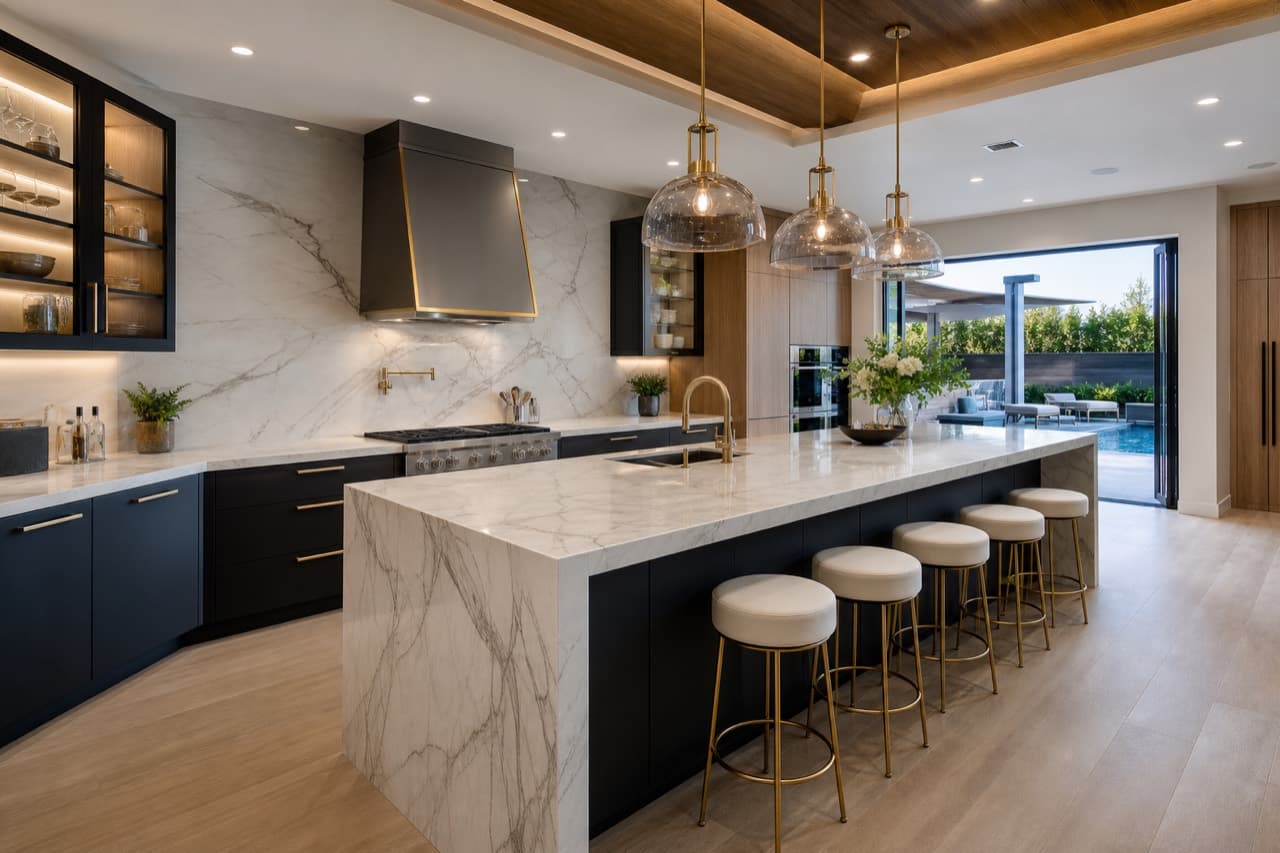
AI property video maker creating a vertical reel from a kitchen photo
AI preview16:9

Quick answer

An AI property video maker is a tool that automatically creates property videos from images. ImageMotion AI animates your listing photos with cinematic motion in seconds and exports finished clips for social media, portals and ads — with no video editing skills required.

Key takeaways

  • An AI property video maker creates listing videos automatically from photos.
  • Motion is added in seconds with no timeline or editing software.
  • Clips export in portrait, square and landscape for every channel.
  • It is designed for property professionals, not video editors.
  • Pay-as-you-go credits make it affordable for every listing.

What is an AI property video maker?

An AI property video maker is software that automatically builds property videos. ImageMotion AI does this by animating your listing photos with cinematic camera motion, producing finished, downloadable clips in seconds.

Do I need editing experience?

No. There is no timeline, rendering or technical setup. You upload photos, choose a motion style and format, and download finished videos.

How fast is it?

Each clip is generated in seconds. A full set of videos for a listing typically takes a few minutes from start to download.

What is an AI property video maker?

An AI property video maker is a tool that turns property photos into finished videos automatically. The key word is automatically — you are not editing a timeline or rendering clips, you are choosing a look and letting the AI do the production work.

For property teams without an in-house video editor, this removes the biggest barrier to video marketing. You no longer need to learn software, hire an editor or book a crew. If you can upload a photo and pick a style, you can make a property video.

ImageMotion AI focuses on cinematic, property-flattering motion and clean exports for every platform, so the videos you make look professional and consistent across your whole brand.

Step-by-step

How it works

From a still photo to a finished, cinematic property video — in three simple steps.

  1. 1

    Upload your property photos

    Add the listing images you already have — interiors, exteriors, twilight shots or virtually staged rooms. Straight from your camera, phone or photographer.

  2. 2

    Choose motion style and format

    Pick a cinematic motion preset — slow push-in, parallax, orbit or drift — and the aspect ratio you need for Instagram, TikTok, YouTube or portals.

  3. 3

    Generate and download

    The AI animates each photo into a polished clip in seconds. Download portrait, square and landscape videos ready for social, listings, brochures and ads.

Why it works

Benefits of an AI property video maker

Fully automatic

The AI produces the motion and the edit — you just choose the style and format.

No software to learn

No editing suite, no rendering, no plugins — it runs entirely in your browser.

Consistent quality

Every clip uses property-tuned motion, so your output looks professional every time.

Affordable at scale

Pay-as-you-go credits mean you can make videos for every listing, not just a few.

Example use cases

Where to use it

Real ways property professionals put this to work every day.

Solo agents

Make professional listing videos without hiring anyone.

Busy branches

Keep every listing on-brand with consistent motion.

Photographers

Add video as a premium deliverable with zero editing.

Hosts & landlords

Create short-stay clips that lift bookings.

How to make a property video with AI

Making a property video takes three steps and a couple of minutes.

From single clips to full property videos

Start with single-image clips for social media, then build up to full property videos by animating a hero exterior and key rooms and sequencing them together. For longer, music-led edited tours, pair ImageMotion AI with PropertyCut in the ReHub Studio ecosystem.

Examples

See it in motion

A few examples of still property photos turned into cinematic AI videos.

AI-generated video of a Georgian townhouse exterior with a cinematic push-in
Exteriors16:9

Georgian townhouse — exterior push-in

Exteriors

AI-generated parallax video of a bright modern living room
Interiors16:9

Living room — parallax motion

Interiors

Vertical AI video reel of a modern kitchen for social media
Social reels9:16

Kitchen — vertical reel

Social reels

Cinematic AI video teaser of a luxury home at twilight
Luxury16:9

Twilight exterior — cinematic teaser

Luxury

Square AI video clip of a styled bedroom for social feeds
Social reels1:1

Bedroom — square social clip

Social reels

AI video teaser of a new-build show home interior
New homes9:16

New homes — development teaser

New homes

FAQs

Frequently asked questions

5 answers to the questions property professionals ask most.

Yes. You choose the photo, motion style and format, and the AI produces the finished clip. There is no manual editing involved.

Turn your first photo into a cinematic video

Upload a listing image and watch ImageMotion AI animate it into a scroll-stopping property video in seconds. Pay as you go, no editing skills required.

Pay as you go · No editing skills · No contract